Export video and slides
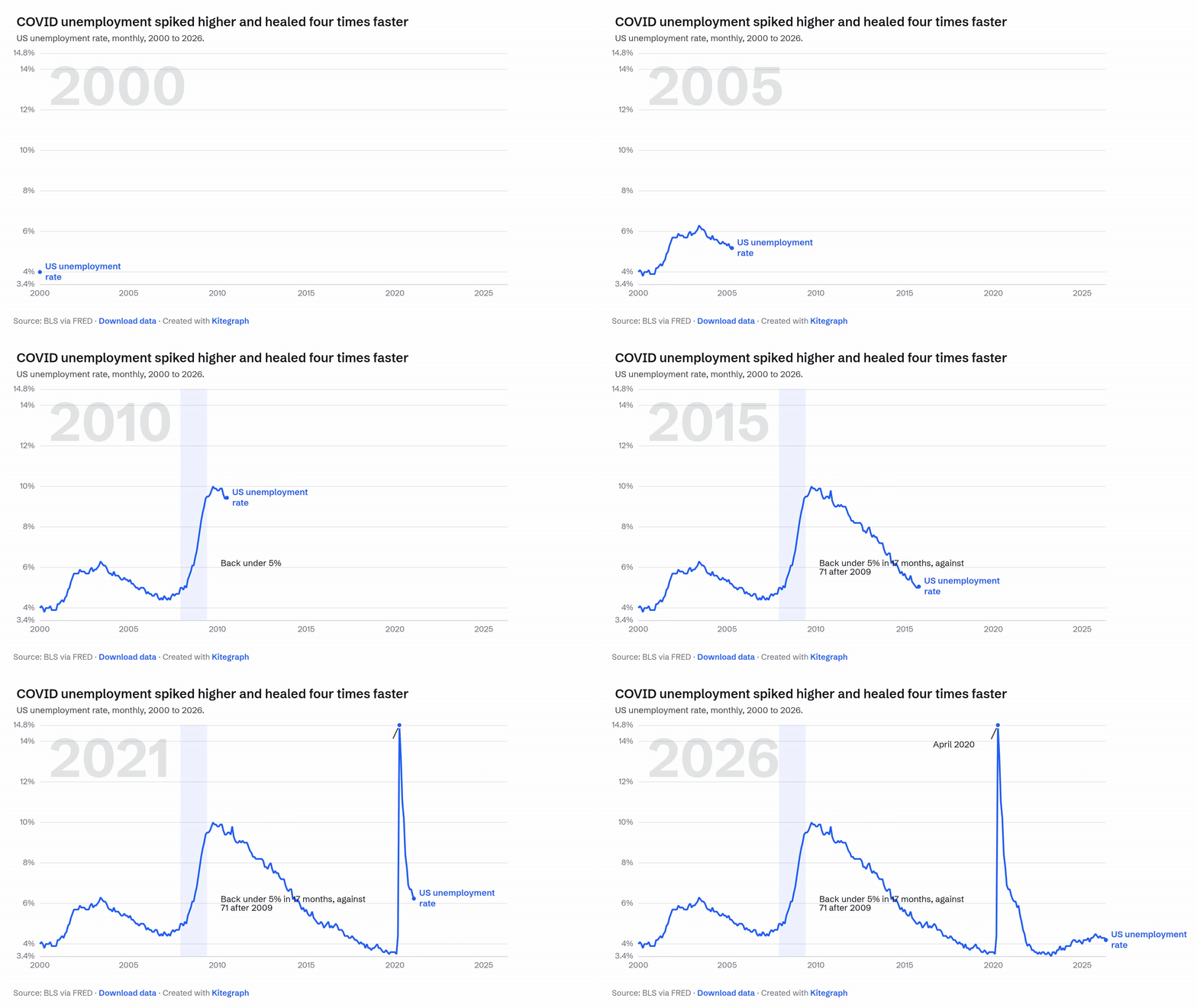
Every output on the Publish step renders from the same chart definition as the preview, frame by frame. This is not a claim, it is the file: the GIF below is an actual export of the chart built in Annotate and animate, rendered by the queue and placed here untouched.
MP4 and GIF
For an animated chart, Generate MP4 renders the reveal server-side and hands back a file. MP4 is the pick for presentations, social video, and anywhere with a real video player. Generate GIF renders the same frames as an autoplaying loop for the places MP4 does not play inline: Slack, docs, email. GIFs are larger files with a smaller color range (the file above is about 2 MB), so smooth color ramps read better as MP4.
Video rendering is included on Starter. Animations run up to five minutes; Business accounts render at 4K and take priority in the render queue.
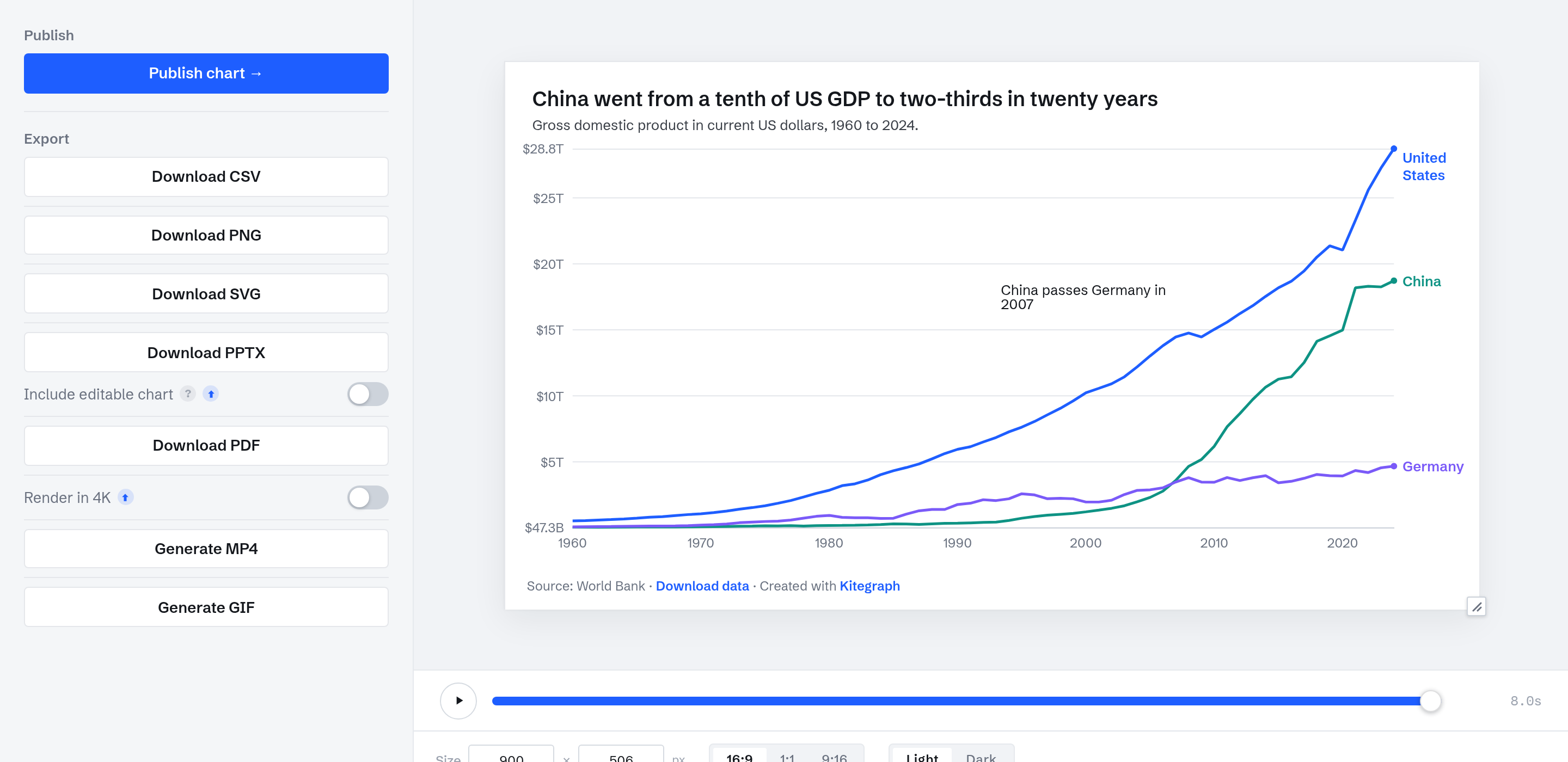
The Publish panel
PNG and SVG
PNG downloads with a free account and covers reports, posts, and internal docs. SVG (Professional) is the vector version for print and design tools, with the chart's fonts embedded in the file so it renders correctly on machines without them installed.
PowerPoint and PDF
PPTX export (Professional) produces a real slide rather than a picture on one, with an Include editable chart option so a deck owner can retitle the chart in PowerPoint without returning to the editor. PDF gives the same fidelity for briefs and print.
The data
Every chart's underlying table downloads as CSV, so readers can verify the numbers behind any export.
Re-rendering
Renders reflect the chart as it is now. Edit and generate again at any time; the published embed updates with a republish either way, at the same URL.